


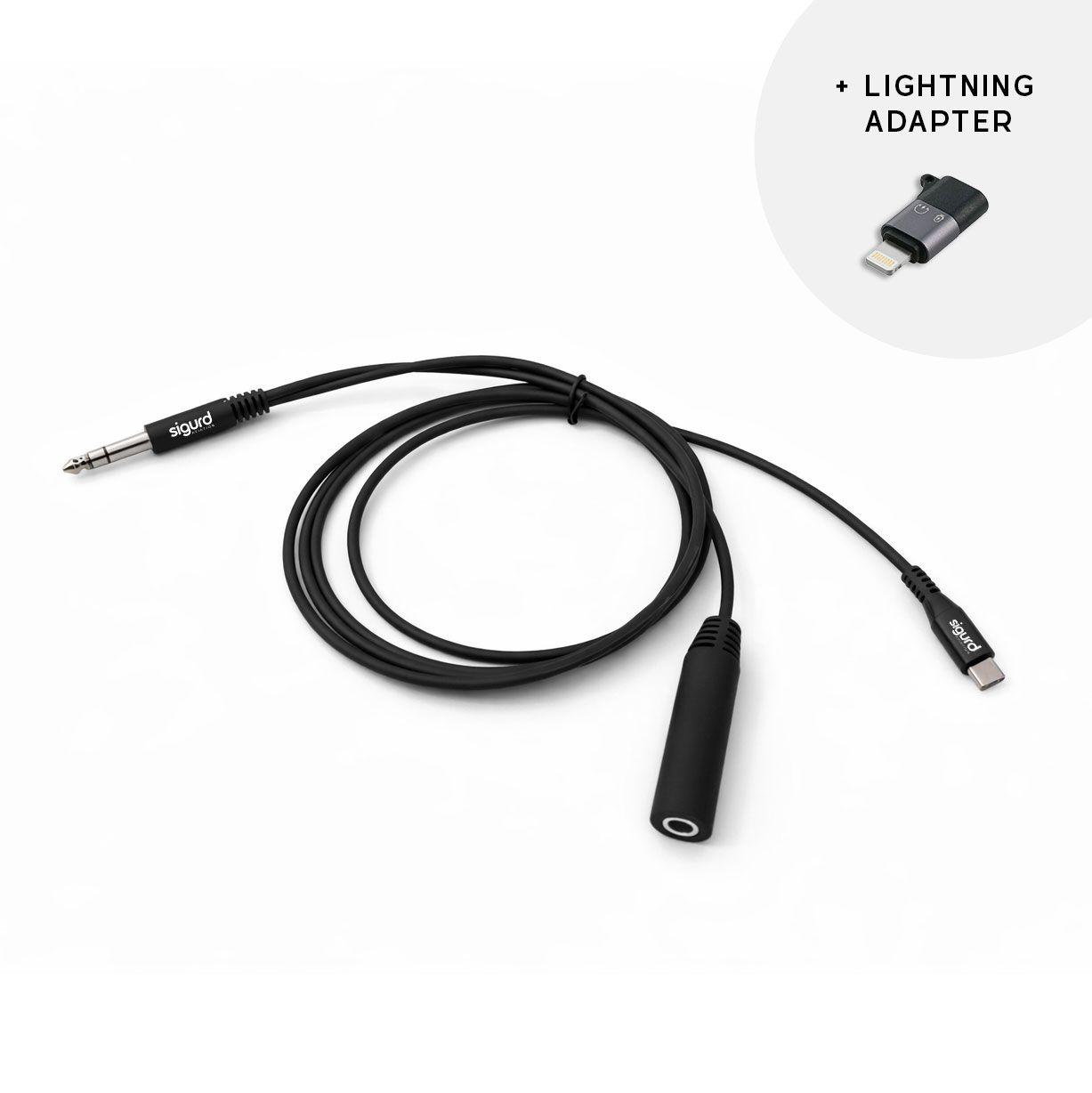
Cockpit Audio Recorder – For General Aviation Pilots
Want to capture your flying experiences with crystal-clear audio directly from the cockpit?
This splitter cable has been specifically designed for General Aviation fixed-wing pilots and allows you to record all cockpit communications directly to your smartphone or camera.
How It Works
- Connect your headset to the splitter.
- Connect the splitter to the aircraft’s intercom system (GA PJ-standard).
- Connect the USB-C cable to your smartphone or camera.
- All audio from the intercom, ATC communications, and passenger conversations is recorded directly alongside your video.
Features
🔹 Designed specifically for General Aviation fixed-wing pilots
🔹 Compatible with standard GA headsets
🔹 USB-C output – works with all modern iPhones (iPhone 15 and newer), Samsung devices, Google Pixel, and many other smartphones
🔹 Optional Lightning adapter included for older iPhones with a Lightning connector
🔹 Plug-and-play – no external power required
🔹 High-quality cockpit audio recording
🔹 Perfect for flight vlogs, flight training, and preserving personal flight memories
✈️ Record every moment exactly as it sounded in the air.
🎥 Document your flying experience with authentic cockpit audio.
🎧 Capture special moments in both audio and video.
Compatible Devices
- Smartphones with USB-C ports (Samsung, iPhone 15 or newer, Google Pixel, etc.)
- iPhone 14 or older using the included Lightning adapter
- Action cameras with audio input (adapter may be required)
- For GoPro cameras, the official GoPro audio adapter is required.
What’s Included
- Splitter cable (total length: 1.85 m / 6.1 ft) with USB-C connector
- USB-C to Lightning adapter (for iPhone 14 and older)
Compatibility
Does it work with standard GA headsets such as Bose A20, David Clark, or Lightspeed Zulu?
Yes. Any headset with a standard GA dual-plug connector (PJ-068 / PJ-055) works right out of the box, including Bose A20, David Clark, Lightspeed Zulu, Faro, Sennheiser S1, and many others. No adapter is required.
Does it work in helicopters, such as the Robinson R22?
No, not with this cable. Helicopters typically use U-174 military connectors rather than the GA PJ-standard this cable is designed for. We currently do not offer a helicopter version. If you are interested, please contact us—we are monitoring demand for such a solution.
Does it work with LEMO connectors (e.g., Airbus standard)?
LEMO connectors are commonly used in modern airliners and military aircraft and are not compatible with this cable, which is designed for the GA PJ-standard. We currently do not offer a LEMO version. If you fly General Aviation aircraft with a LEMO panel, contact us and we can discuss possible custom solutions.
Does it work with a GoPro?
No. Our cable does not work with GoPro cameras, either directly or through GoPro’s official USB-C microphone adapter. Instead, record the audio using your smartphone or tablet and synchronize it with your GoPro footage during editing.
Can I charge my smartphone through the headset connection during flight?
No. The USB-C connector on this cable is used exclusively for audio transmission and cannot be used for charging devices. To charge your phone during flight, use a power bank or the aircraft’s 12V or USB power outlet if available.
How Recording Works
Does recording start automatically, or do I need to open an app first?
Recording does not start automatically. You begin recording manually using any recording app of your choice. The cable is completely passive—it requires no app, drivers, or external power. Your smartphone automatically recognizes it as an external microphone. You can choose to record audio only or audio together with video.
Do I need a special app?
No. On iPhone, the built-in Voice Memos app works perfectly. On Android, you can use any recording app, such as Easy Voice Recorder or your phone’s built-in voice recorder. The cable is automatically detected as an external microphone.
Can I record audio only, without video?
Yes. The cable transmits audio only. Simply open the Voice Memos app on iPhone or any audio recording app on Android to create a clean audio recording. If you want synchronized video, simply run your camera app at the same time.
What exactly gets recorded?
Everything you hear through your headset is recorded, including:
- ATC communications
- Intercom conversations (co-pilot and passengers)
- Your own voice
- Depending on your headset, some ambient and engine noise
The cable connects in parallel with the aircraft’s audio system. You continue to hear everything normally through your headset, and the recording process does not interfere with communication or intercom functionality.